

Self-Healing IT for growing businesses
Let AI handle
the boring IT.
Everyday IT issues. Quietly handled.
More time for the work that needs you.
D.O.N.N.A. automates routine IT support across Microsoft 365 and Google Workspace.

Works with the tools you already use.

IT Support.
Handled.
- Get back in.Password resets and MFA access recovery.
- Get new hires ready.Accounts, access and software setup.
- Remove access when people leave.Offboarding and active-session revocation.
- Keep everyday apps working.Email-profile repair and Teams cache cleanup.
- Keep access up to date.Group membership and license changes.
- Find the answer.Answers from approved policies and handbooks.
For growing businesses and the people who keep their IT running. Workflows vary by connected system.
See how it works →Always On · Self-Healing IT
Already
on it.
The work you never had to ask for.
D.O.N.N.A. detects and resolves supported issues in the background, then verifies the result. In many cases, nobody needs to stop what they’re doing.
One example: firewall enforcement
Protection off.
Protection restored.
A device’s firewall no longer matches its policy. D.O.N.N.A. detects the gap and restores the required protection.
Watch the real workflow ↗- 01Detect
Find the firewall-policy gap.
- 02Troubleshoot
Identify the required fix.
- 03Resolve
Restore the configured protection.
- 04Verify
Confirm the state. Record the result.
Also working in the background:
OS patching. Disk-space remediation. Mailbox-quota monitoring.
Illustrative sequence. Available actions depend on connected systems, permissions and configured approvals. Your team handles exceptions.
 D.O.N.N.A.Chat
Actions follow configured permissions and approvals.
D.O.N.N.A.ChatActions follow configured permissions and approvals.
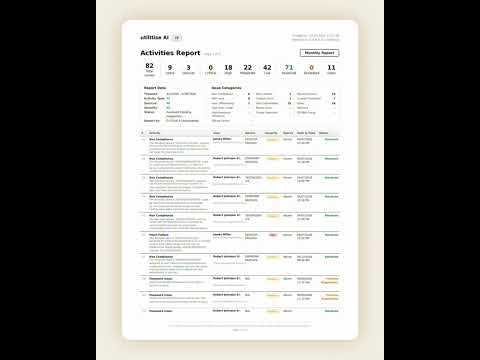
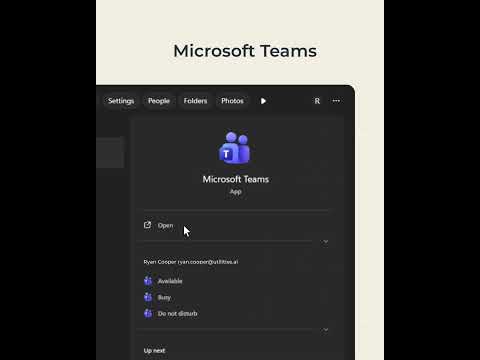
When you need something
Tell
D.O.N.N.A.
Done.
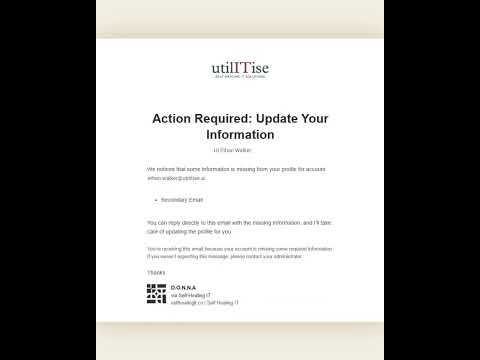
Tell D.O.N.N.A. what you need.
She handles the task, verifies the fix
and records the result.

Company back office
Back to her
actual job.
Healthy Plate’s Assistant Director was handling everyday IT. D.O.N.N.A. took on the repeatable work.
Healthy Plate SolutionsReported by Healthy Plate.
Read the case study →
Home loan servicing
New hire.
Less setup.
Provident reduced the time spent setting up each new employee.
Provident Loan ServicingResults reported in the Provident case study.
Read the case study →
Field engineering
Access sorted.
Work continues.
Company identity and access for engineers working in the field.
MCA CommunicationsRead the MCA Communications case study.
Read the case study →Self-Healing IT
IT should work
like a utility.
Self-Healing IT finds and resolves supported issues, then verifies the result. D.O.N.N.A. handles routine work. Your team handles the exceptions.
What is Self-Healing IT? →What you
need to know.
What is utilITise and what does D.O.N.N.A. do?
utilITise is a Self-Healing IT platform for growing businesses. D.O.N.N.A. automates supported IT tasks, including password resets, user access and employee onboarding. Some work starts with a request; other checks and fixes run in the background. Available workflows depend on connected systems and permissions.
Does D.O.N.N.A. replace our help desk?
No. D.O.N.N.A. augments your help desk by handling supported, repeatable IT tasks. Your team stays responsible for complex issues, exceptions and decisions that need human judgment.
What systems does utilITise work with?
utilITise supports Microsoft 365 and Google Workspace. Employees can interact with D.O.N.N.A. in Microsoft Teams or Slack. Available workflows vary by platform and configuration.
Does every task happen automatically?
No. Some checks and fixes run in the background; other tasks begin with a request. Actions follow the permissions and approvals configured for your environment.
Where should we start?
Book a demo and bring one routine IT task your team handles manually. If you prefer to assess your environment first, the IT Health Score provides a read-only assessment with administrator consent.
Who is utilITise for?
Growing businesses that want less routine IT work for employees, office managers and IT teams. Microsoft CSP partners can also offer D.O.N.N.A. to customers who manage their own Microsoft 365 environment.
Explore D.O.N.N.A. for Microsoft CSP partners →Is D.O.N.N.A. just a chatbot?
D.O.N.N.A. can carry out supported IT actions, not only provide answers. Some tasks start with a request; supported checks and fixes also run in the background. Actions depend on connected systems, permissions and configured approvals.
What does getting started involve?
Setup depends on your systems and the tasks you want to automate. In the demo, we can review your environment, the required access and approvals, and a first workflow to start with.
A world where
IT just works.
See D.O.N.N.A. handle a routine IT task. We’ll show you what it takes to get started.
Book a demo →Or start with your IT Health Score →