

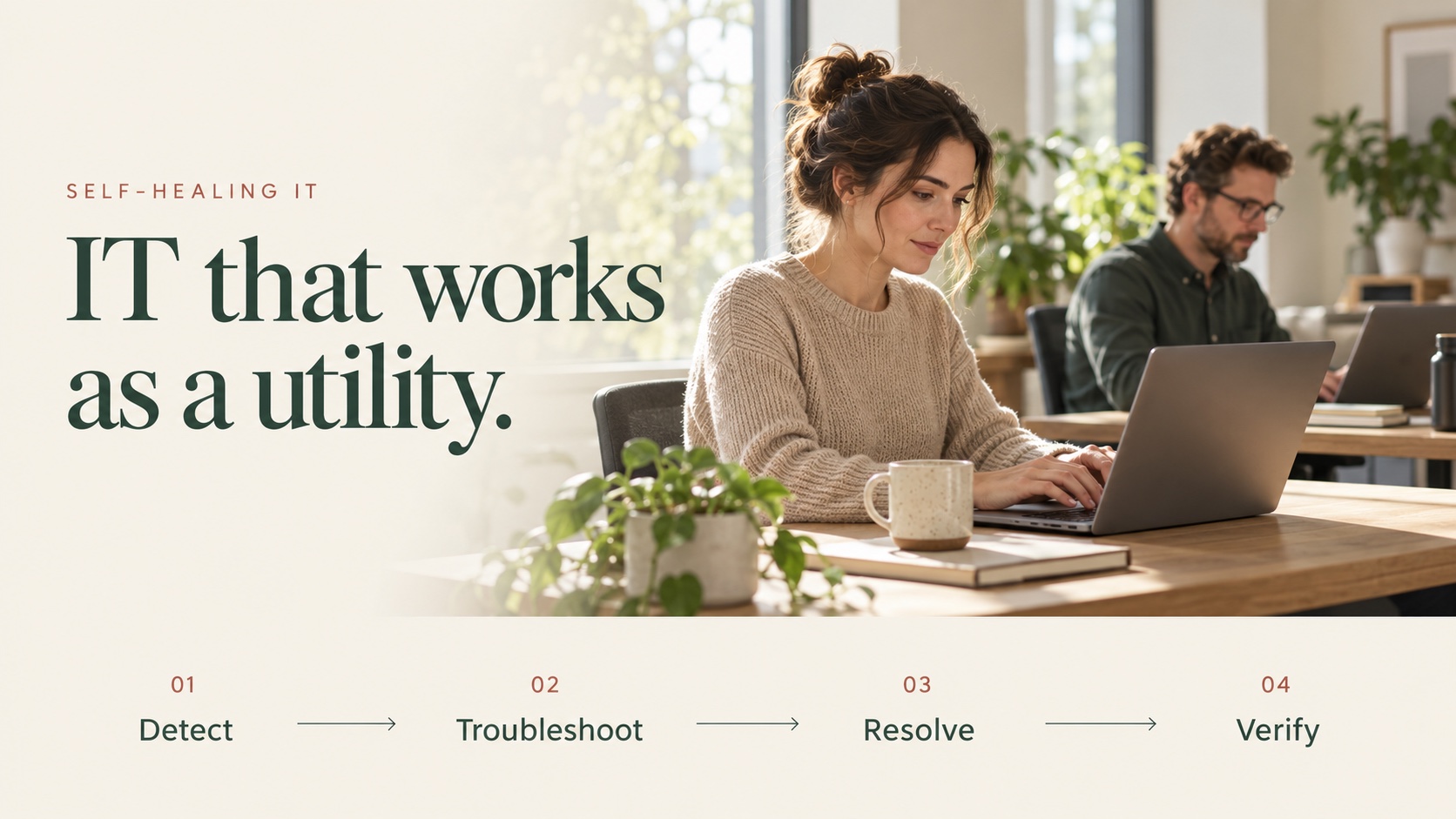
Self-Healing IT detects an IT issue, troubleshoots the cause, takes an authorized action to resolve it, and verifies the result.
The goal is to make IT work as a utility: dependable, available, and quietly supporting the people who rely on it.
Employees should be able to focus on their jobs. IT teams should have time for the work that needs their expertise.
How does Self-Healing IT work?
Detect → Troubleshoot → Resolve → Verify
- Detect: Identify a problem through monitoring or an employee request.
- Troubleshoot: Investigate the issue and determine the appropriate response.
- Resolve: Carry out the permitted action, with approval where required.
- Verify: Check that the action worked and record the outcome.
Many everyday IT issues already have established fixes. IT teams have handled them through runbooks and repeatable procedures for years.
Self-Healing IT applies AI and automation to that familiar work—understanding the issue, carrying out the appropriate steps, and checking the result.
What kinds of IT work can it handle?
Some work happens quietly in the background. Other tasks begin when an employee or administrator asks for help.
Quietly in the background
Examples include:
- Enforcing firewall and device-encryption settings.
- Applying operating-system patches.
- Repairing email profiles and clearing Teams caches.
- Addressing high disk usage.
- Monitoring mailbox quotas.
- Checking compliance with required security policies.
In many cases, the employee does not need to start a conversation or submit a ticket. The issue is handled while they continue working.
When someone needs help
Examples include:
- Password resets and MFA device resets.
- New account setup and employee offboarding.
- Group membership, access, and license changes.
- BitLocker recovery-key retrieval.
- Asset information and on-demand IT reports.
- Answers from approved policies, handbooks, and knowledge documents.
Supported actions depend on the connected systems, configuration, permissions, and required approvals.
Does Self-Healing IT replace the help desk?
It augments the help desk.
A large share of routine IT work involves familiar problems with established troubleshooting steps. Repeating those steps manually takes time away from more complex work.
Self-Healing IT handles supported routine tasks so engineers can focus on larger issues, difficult investigations, improvements, and projects.
People remain responsible for judgment, exceptions, and decisions about how the business uses technology.
How does utilITise use Self-Healing IT?
D.O.N.N.A. brings this approach to everyday IT work.
In many cases, she detects and resolves issues quietly in the background, without employee interaction. The work becomes effectively invisible to the employee, while the IT team retains visibility into what happened.
When someone does need help, they can interact with D.O.N.N.A. through Microsoft Teams or Slack. She can help troubleshoot an issue, complete a supported task, or find an answer in approved company documents.
utilITise connects with systems including Microsoft 365 and Google Workspace. Available workflows vary by environment.
Watch the password-reset demo →
What is the goal?
IT that works as a utility.
Fewer interruptions for employees. Less repetitive work for engineers. Everyday issues handled quietly, with human help available when it is needed.
Make IT Work. Make IT flow. Make IT make Sense.